*Project: Move Bittle X’s Head and Joints with Loops
Table of Contents
Video Tutorial with Petoi Coding Blocks to Illustrate the Workflow
Thinking About the Task
Let’s teach Bittle X to do repetitive motions by using a loop.
In this project, we will make Bittle X’s head move back and forth using a while loop (a repeat block).
Initial Setup
Be sure to make sure Web Coding Blocks are set up:
https://docs.petoi.com/web-block-base-programming/petoi-web-coding-blocks
Let’s Code!
Code Block: Repeat/While with Condition
In previous projects, we did a repeatblock. This time, we will put a new kind of statement in the block: a condition. As a preview, the final code should look like this:
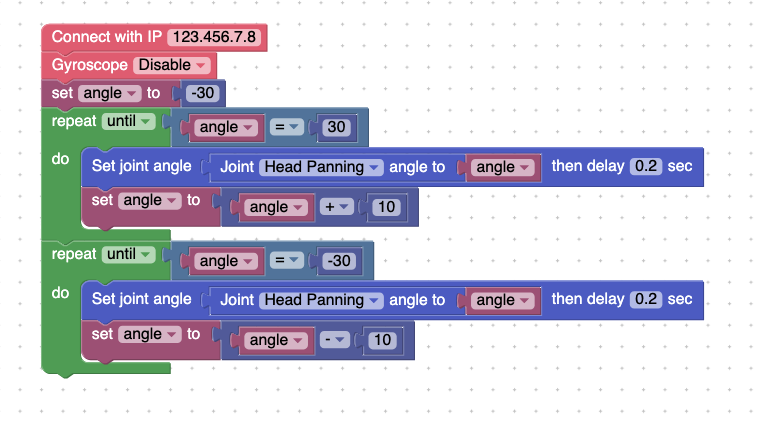
First, set up the program with these blocks. We have a couple of repeatblocks that will move the head back and forth.
We also set up a new variable called Angle.
Set the variable to -30 .
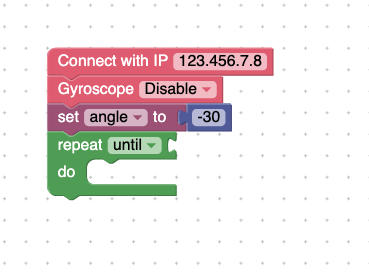
Then, add these blocks:
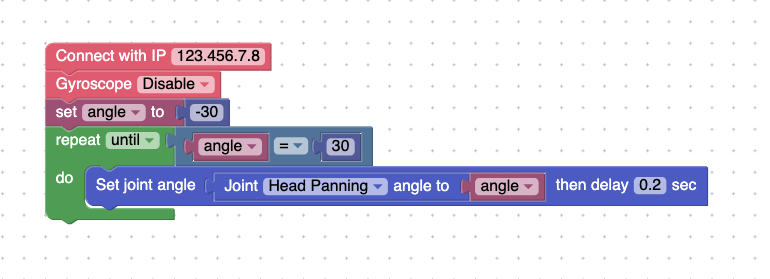
So far, we have a variable setting the angle to be -30 degrees. For context, the head is at 0 degrees when it’s looking straight ahead.
What happens now?
We want the head to turn. We made a repeatblock where the head should turn to the variable angle.
The next step is to update the angle every time the code runs. This means that the angle will increase by 10 degrees each time. It will keep doing this until the angle hits 30. Add the following blocks:
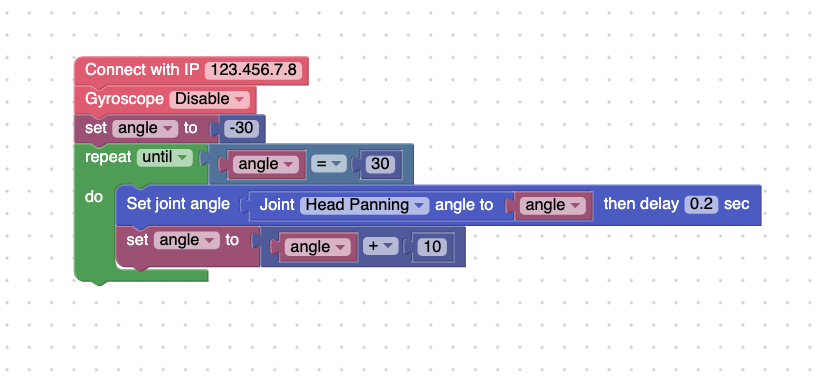
This allows the head to move from -30 degrees to 30 degrees.
Next, let’s do the same for turning the head the opposite way: from 30 to -30. Add the following blocks:
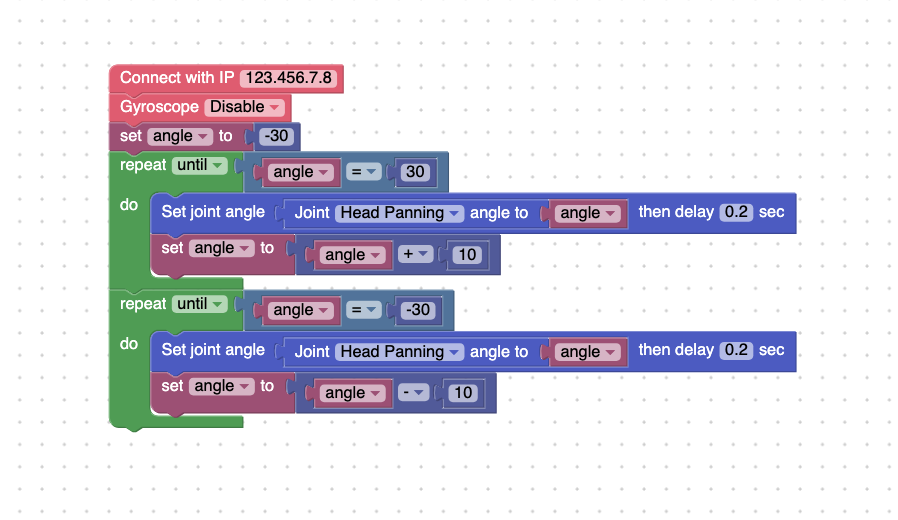
Press Run. Bittle X turns its head from one side to the other, and then goes back to looking straight ahead.
Next, we can add more motion.
Code Block: Turn Simultaneously and Turn Sequentially
Try moving 4 different joints at the same time using the code block. Here is an example, but you can try your own:
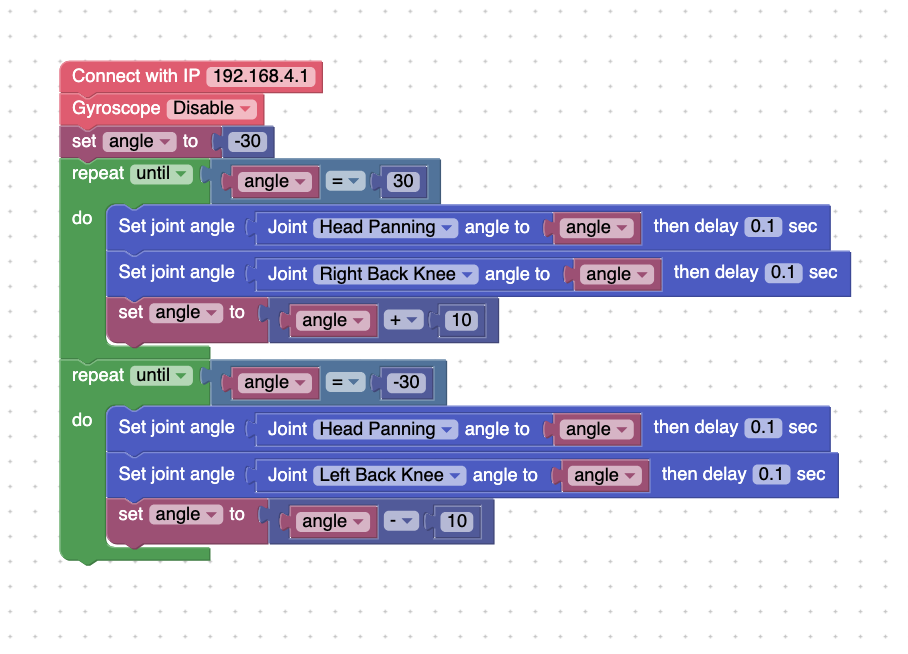
Press Run. Bittle X should move its head, then do a motion where the front legs move at the same time.
Another Example: Loop skills
Try this code:
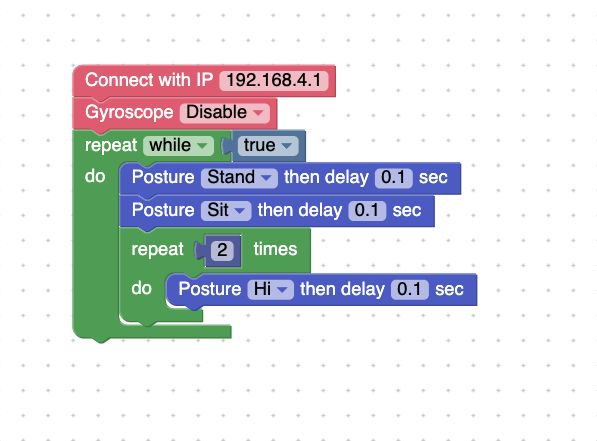
Try pressing Run. This code will have Bittle X stand up, sit, and say hi three times. Then the program repeats. This uses a loop for the whole program — notice how most of the program is completely “nested” in the loop. A lot of the code is put into the while true port. The while true means that this code runs forever.
Project Takeaways
- The
repeat untilblock allows us to move while a condition is true.
- We can set variables to put into the
repeatblocks, and we can add or subtract each time the code runs.
You-Try:
Pet Trick - Bittle X is trained to do a unique pet trick. Try making your own unique pet trick, but with the repeat , variable, and a way to increment the variable.