*Project: Bark Patrol - Bittle X is standing up and sits down/barks if you gesture Bittle X to sit down.
Table of Contents
Video Tutorial with Petoi Coding Blocks to Illustrate the Workflow Tutorial
Thinking About the Task
- How do we use our knowledge of sensors and incorporate that into gesture sensors, which allow up, down, left, and right motions?
- What can we make with a gesture sensor?
Initial Setup
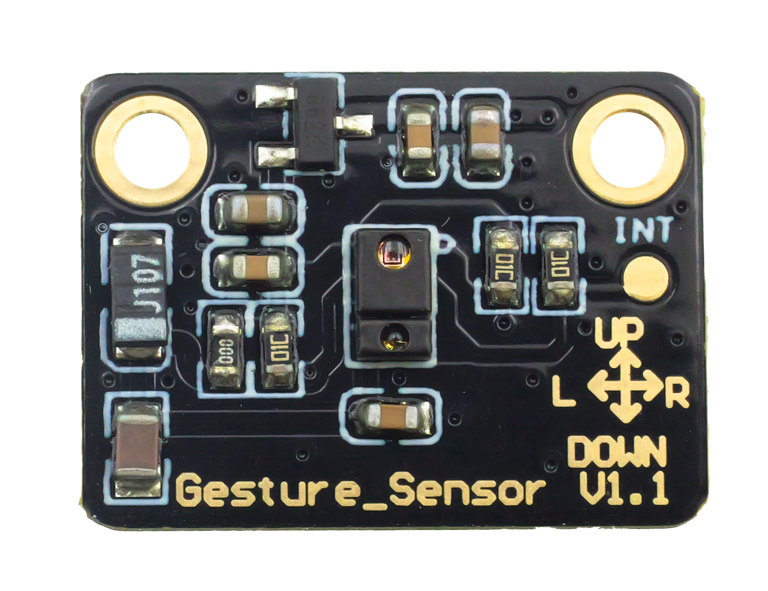
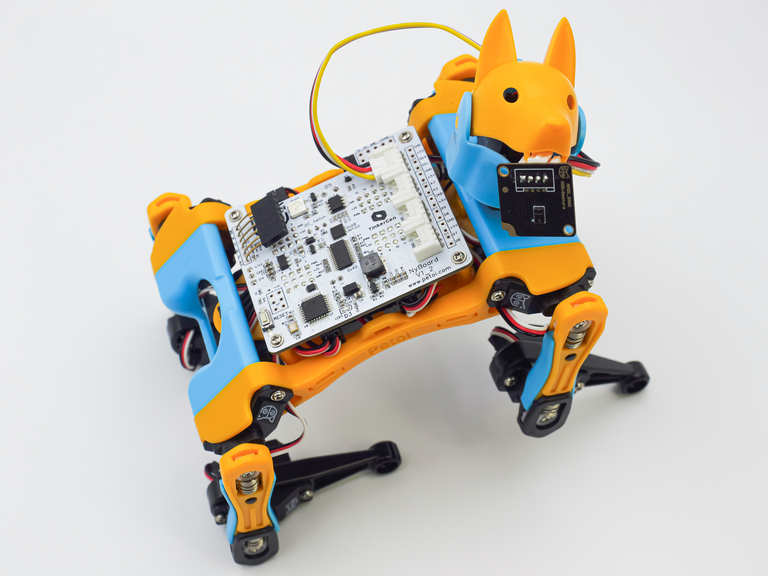
Gesture sensor official tutorial:
https://docs.petoi.com/block-based-programming/petoi-coding-blocks#get-the-gesture-value
Documentation on Gesture sensors:
https://docs.petoi.com/extensible-modules/gesture-sensor
Let’s Code!
The goal is to make bark Patrol - Bittle X is standing up and sits down/barks if you gesture Bittle X to sit down.
Code Block: Get Gesture Sensor

Using this code block, we can obtain the gesture values.
The gesture values are:
0: Up;
1: Down;
2: Left;
3: Right;
We can use the gesture values as a trigger for causing Bittle X to do specific skills.
For example:
Using the gesture values, where 0 is waving the hand upward:
Moving the hand upward will cause Bittle X to cheer.
Set up the following code:
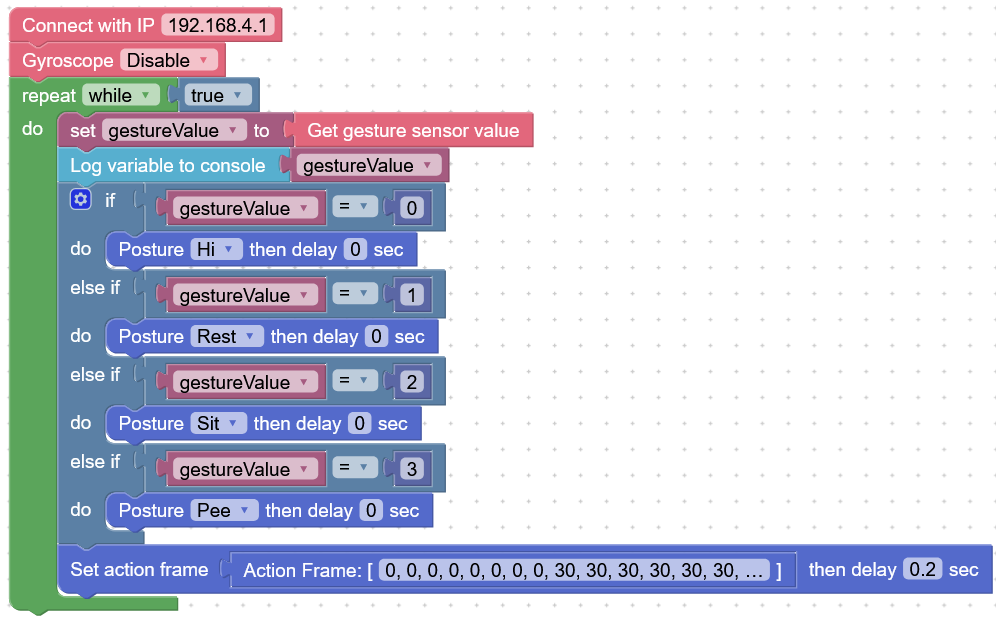
In this code, this shows that:
- Waving up → “hi” skill
- Waving down → “Rest” skill
- Waving left → “Sit” skill
- Waving right → “Pee” skill
Project Takeaways
- The gesture sensor can provide values
0,1,2,3which represent the hand movements of waving up, down, left, and right.
- We can use this to trigger Bittle X to do actions!
You-Try:
- Make Bittle X turn its head left and right if you wave left and right on the gesture sensor.